

Unreal Engine
UE 4 and 5, from the launcher or built from source
- Launch the editor, generate project files and build, in Development or DebugGame
- Open the solution, or the project in Rider
- Its log in tidy columns of time, category and verbosity
Your agents, in a real desktop window
Deventry runs the real Claude Code, with your settings, CLAUDE.md, MCP servers and hooks, and draws it as a native app: a tab for each session, every change ready to review, and your plan's usage on screen the whole time.
Deventry 1.0.0 is coming soon
Until then, Claudette 0.7.0, Deventry's name before 1.0.0, is on the Downloads page.
Works with Claude Code today, with more providers to come · Windows 10 and 11, macOS 12 or later, Linux on x64 · Every package
claude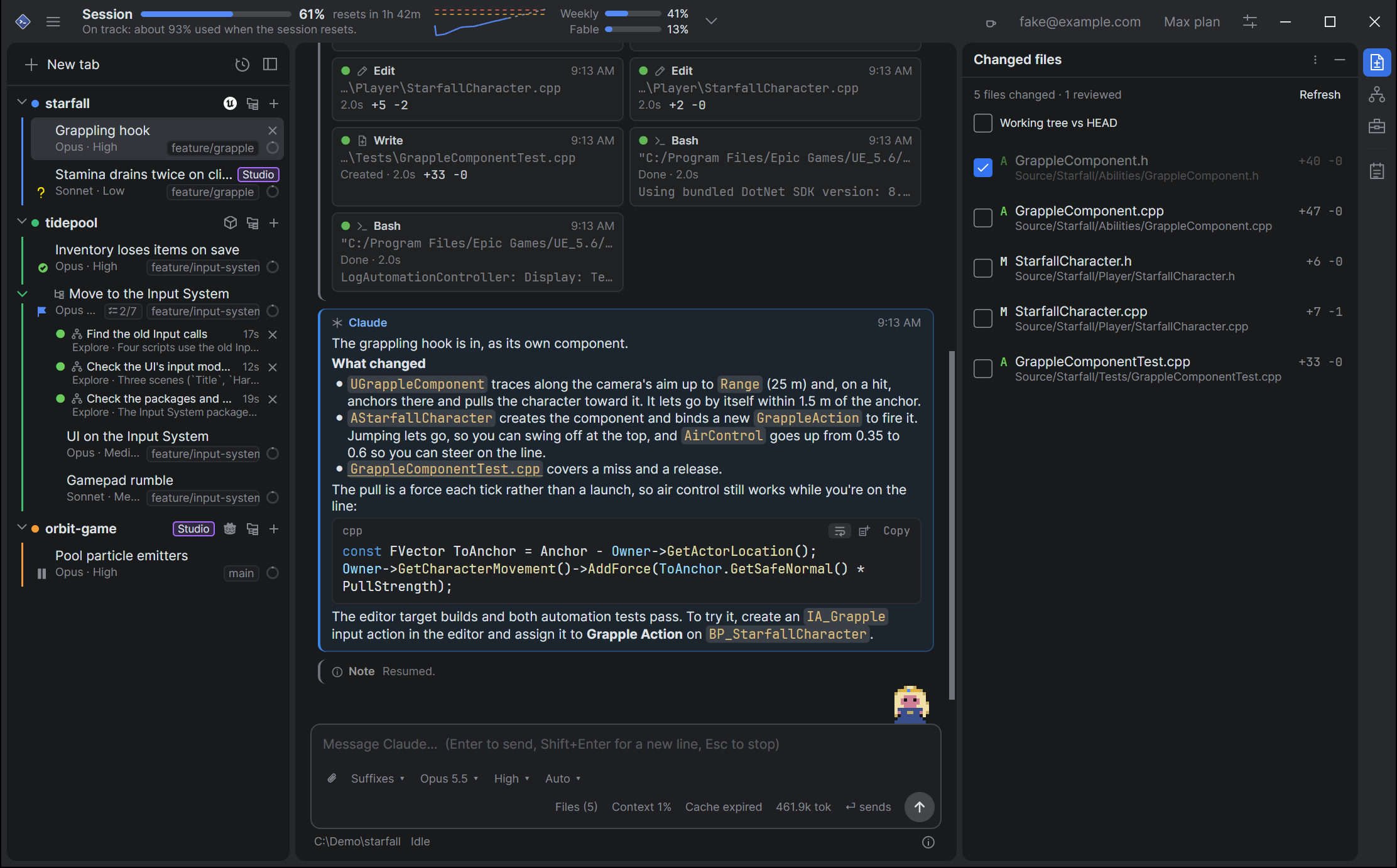
For game developers
Deventry knows the engines, editors and depots games are made with. Open a project's folder, and its tab knows what's in it: the engine and its version, how to build and launch it, and where the editor writes its log.
UE 4 and 5, from the launcher or built from source
The exact editor the project names, found through Unity Hub
Godot 3 and 4, C# projects too
dotnet, and open the solution.godot, or Godot 3's .import, for a fresh importp4 login, and each tab's changelist.
Your pipelineYour own actions in deventry.json, committed for the whole team: cook, package, run the tests.
See it in action
From the first message to the last diff. Scroll through a day with Deventry.
01 Tabs and sessions
Every session gets a tab, grouped by project in a sidebar that shows each one's status, branch, model and context at a glance. Mark tabs your way, and press Ctrl/Cmd+J for the next one waiting for you. Fold a busy tab's sub-threads, subagents and logs away under it.
Tabs and sessions
02 Plans, tasks and threads
Follow Claude's plan as it writes it, with every version, and watch each task get done: who's on it, how long it took and what it changed. Make a tab a thread, and its Claude hands work to the other tabs in its project, with one report back.
Threads
03 The agent map
The agent map draws Claude's subagents as a tree while they fan out, nested as they nest, with what each is doing right now. Select one for what it was asked and what it returned, or stop it.
The agent map
04 Usage and limits
Live meters for the session and the week, a projection of where you'll land, and alerts before you hit a limit. If you do hit one mid-task, the tab waits for the reset and carries on by itself.
Usage and limits
05 Reviewing changes
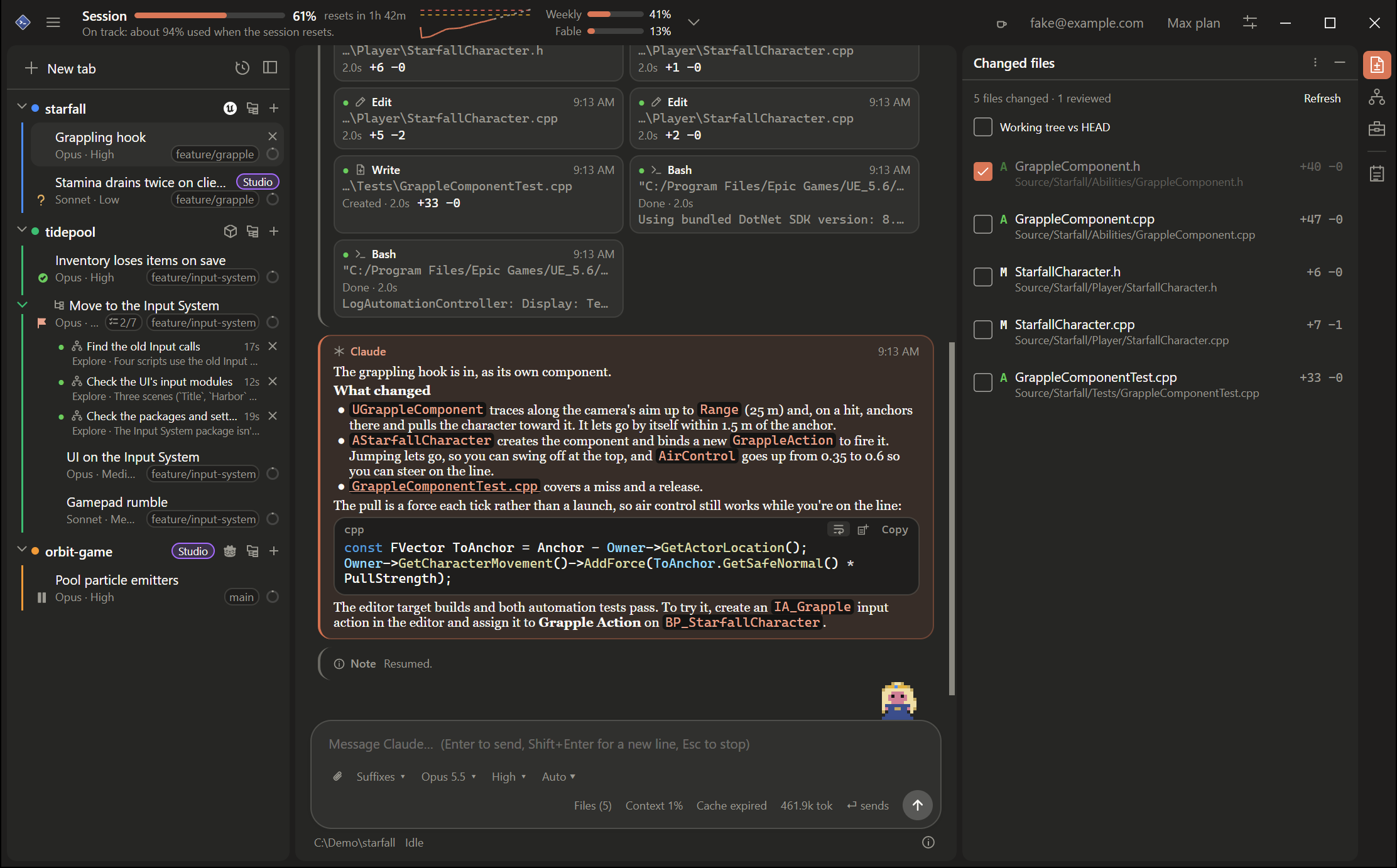
Every file the session touched, with a real diff view, Revert for a hunk or the whole file, and ticks that stick until Claude edits the file again. Or send the diff to Beyond Compare, VS Code or your own tool.
Reviewing changes
06 Project files
A project's files in a tab of their own, with an explorer and an editor. Claude's changes are marked in the gutter, with a peek at what was there. Click a file Claude names, and it opens at the line.
Project files
07 Editor logs
While Unreal, Unity or Godot has the project open, its log is a row under the tab, followed as it's written, with its errors and warnings counted. Filter it by level, category or text, click a file it names to open it, and when the editor crashes, the log stays to say why.
Editor logs
08 Accounts
Run a client's projects on their API key and everything else on your own plan. The key stays in your OS's credential store, and the header shows what it's spending today, this week and this month.
Accounts
09 History and syncing
Search every past session, Claude's replies too. Carry a conversation to your other computer through a folder Dropbox, Google Drive or OneDrive keeps in sync, or keep it going from your phone with the Claude app.
History and syncing
10 Settings
Each setting has a line saying what it does, and the search finds it by what you'd call it. Changes apply as you make them, and Appearance shows them in a preview. Settings stays open beside your work, so you can see what a change does, and each section resets on its own.
The Settings window
Make it yours
Standard is dense and calm, in your OS's accent color. Claude takes after the Claude apps, with warm colors, rounder cards and a serif for replies. Both follow your system, or not.
Meet Joulene
Joulene stands on the message box while you work. She reads along with a magnifying glass, hammers while Claude edits, juggles a ball for each subagent, waves when Claude needs you, and throws confetti when the task list is done.
Poke her and drag her about, and play her at tic-tac-toe while a usage limit resets. She stands still if you reduce motion, and Settings can turn her off.
Joulene on the composer
And the rest
Where it runs
One Deventry for all three, built and tested on each with every change. Your tabs, settings and shortcuts work the same on every one, and your sessions and settings can follow you from one to another.
Windows 10 and 11, on x64 and Arm64
claude in your terminalmacOS 12 or later, on Apple silicon and Intel
.dmg, and an app that keeps itself up to datePATH, so Homebrew's tools are found from the DockBuilt from source, on x64, under X11 or Wayland
main pulled, built and restarted into, with your tabs keptsystemd-inhibit to stay awake# Claude Code
curl -fsSL https://claude.ai/install.sh | bash
# Deventry's source, and the .NET SDK it names
git clone https://github.com/dotBunny/Deventry.git ~/Deventry && cd ~/Deventry
curl -fsSL https://dot.net/v1/dotnet-install.sh | bash -s -- --jsonfile global.json --install-dir ~/.dotnet
export PATH="$HOME/.dotnet:$PATH"
# Build it and run it
dotnet run --project src/Deventry.App -c ReleaseThen keep .NET on your PATH and put Deventry in your app menu: Installing on Linux takes you through it.

Install Claude Code. Download Deventry. Open a folder.